Sponsored by the National Association of Photoshop Professionals. Learn More

Reflections Revisited


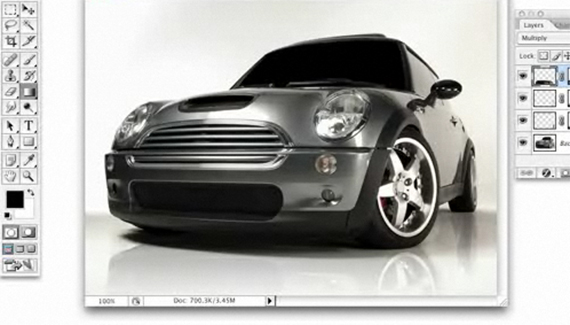
Here a quick way to achieve a convincing reflection on a vehicle at a 3/4 view.

Corey Barker

Corey Barker is Executive Producer of PlanetPhotoshop.com and is an Education and Curriculum Developer for the National Association of Photoshop Professionals. Corey has also made numerous appearances on the highly rated podcast, PhotoshopUser TV, and is co-host of Layers TV.

12 Comments

  1. Felix said on — April 24, 2008 @ 6:52 am

    Good job.

  2. Ralph said on — October 26, 2008 @ 5:45 pm

    Great tutorial! Thanks for posting =D

  3. diamond2010 said on — March 30, 2009 @ 5:44 am

    Very good tutorial. It helped me with a webdesignp roblem . Thank you. thousand times. ;-)

  4. Novaman396 (on flickr) said on — July 12, 2009 @ 11:32 am

    Great tutorial but still finding it very difficult to make the right selections. Thanks

  5. 56 Absolutely Brilliant and Intriguing Photoshop Video Tutorials | Photoshop Tutorials Pingback on — September 4, 2009 @ 4:56 am

    [...] Reflection RevisitedHere a quick way to achieve a convincing reflection on a vehicle at a 3/4 view. [...]

  6. 56 Absolutely Brilliant and Intriguing Photoshop Video Tutorials | Internet Marketing Tips and Strategy To Make Money Online Pingback on — September 4, 2009 @ 6:25 pm

    [...] Reflection RevisitedHere a quick way to achieve a convincing reflection on a vehicle at a 3/4 view. [...]

  7. 56 Absolutely Brilliant and Intriguing Photoshop Video Tutorials « Photoshop.vn – Your Design Resource Pingback on — September 6, 2009 @ 1:15 pm

    [...] Reflection Revisited Here a quick way to achieve a convincing reflection on a vehicle at a 3/4 view. [...]

  8. 56 Absolutely Brilliant and Intriguing Photoshop Video Tutorials | Fulldigi Pingback on — September 9, 2009 @ 5:41 am

    [...] Reflection RevisitedHere a quick way to achieve a convincing reflection on a vehicle at a 3/4 view. [...]

  9. 56 Absolutely Brilliant and Intriguing Photoshop Video Tutorials Pingback on — September 17, 2009 @ 9:24 pm

    [...] Reflection RevisitedHere a quick way to achieve a convincing reflection on a vehicle at a 3/4 view. [...]

  10. Brilliant and Intriguing 50+ Photoshop Video Tutorials | oOrch Blog Pingback on — October 5, 2009 @ 9:20 am

    [...] Reflection RevisitedHere a quick way to achieve a convincing reflection on a vehicle at a 3/4 view. [...]

  11. Jamaal said on — June 13, 2010 @ 3:16 pm

    Great tutorial but I can’t seem to apply it to the picture I have. I have tried 20 different angles, skewed, distorted,3,4,5 pieces but I only get half of the reflection to line up. What am I doing wrong
    Fustrated =(

  12. rokrnpearl said on — October 27, 2010 @ 5:19 am

    i can be added way to make reflection for object, but it takes many time than method i usually apply. it mustn’t do many things as above.

RSS feed for comments on this post. TrackBack URI

Leave a comment

Create A Composite Layer

If you have a multilayer composition and you
want to apply an effect to all the layers at once, don’t flatten the layers–use a composite layer instead. Hide the layers you want excluded, and press Shift-Command-Option-E (PC: Shift-Ctrl-Alt-E). A new layer will be created at the top containing a merged copy of all the visible layers.

Another option is to create a new layer at the top of the stack and make it active. Command-click (PC: Ctrl-click) each layer you want to include to make those layers active, as well. Press Option-Command-E (PC: Alt-Ctrl-E).
by Colin Smith

Read More Tips

Tip of the Day
 
 
Kelby Training

