Sponsored by the National Association of Photoshop Professionals. Learn More

New Planet


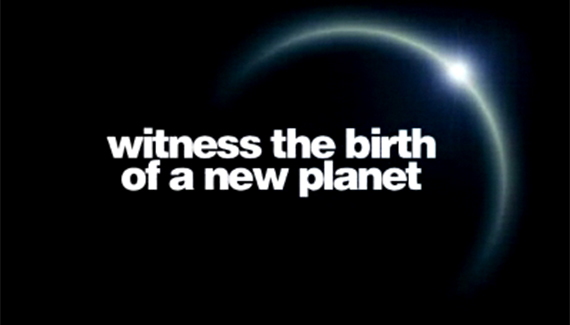
Here’s a quick how-to on the planet graphic we had on the Planet Photoshop teaser page.

Corey Barker is Executive Producer of PlanetPhotoshop.com and is an Education and Curriculum Developer for the National Association of Photoshop Professionals. He has earned numerous Photoshop awards in design and illustration and has contributed writing to Photoshop User Magazine and PhotoshopElementsUser.com. Corey has also made numerous appearances on the highly rated podcast, Photoshop TV.

Spread the word:
  • Digg
  • del.icio.us
  • Facebook
  • Twitter
  • NewsVine
  • Technorati
  • BlinkList
  • Design Float
  • Mixx
  • Reddit
  • Slashdot
  • SphereIt
  • StumbleUpon
  • LinkedIn
  • MySpace
  • Fleck
  • Netvibes

16 Comments

  1. Nihilus said on — April 16, 2008 @ 6:38 pm

    Thanks so much for sharing, favorited this. :D

  2. Photoshop Video Tutorials | Photoshop | Best collection of free video tutorials on software and internet applications Pingback on — April 24, 2008 @ 2:24 pm

    [...] how to   (lombergar.com)Spikey Objects  (Video-Tutes.com)Bubbles  (teach-ict.com)New Planet : Heres a quick how-to on the planet graphic we had on the Planet Photoshop teaser p…  (planetphotoshop.com)OS X Wallpaper: create the iconic wallpaper using effects, gradients, [...]

  3. Venkatx5 said on — May 8, 2008 @ 4:21 am

    Excellent Tutor.. Thanks a Ton Corey..

  4. Chris said on — September 29, 2008 @ 9:37 pm

    You might also try using the radial gradient selection when masking the planet. :)

  5. nikhil said on — October 1, 2008 @ 3:35 am

    amazing tutorial

  6. Markox said on — October 12, 2008 @ 6:46 am

    this is top 10 coolest things I saw in all photoshop tutorials, this is so easy and soo good =)

  7. Ramso said on — October 24, 2008 @ 4:21 pm

    thanks alot for this, you should do some more of these your good at explaining

  8. Atle said on — October 29, 2008 @ 1:43 pm

    It would be great if it was possible to show how to add texture to the planet… most of the tutorials out there on how to create an planet with texture, is not realy good…
    this tutorial is very good looking too but i do miss the textures on the planet

  9. DA said on — November 12, 2008 @ 4:30 pm

    WOW really nice tutorials I no i’m going to use this on one of the pic i’m making thz

  10. jocke said on — July 19, 2009 @ 8:53 am

    Help me. When i create a layer mask it is not emty like in the tutorial, it’s round like the planet i’m trying too do. So when i’m going from black too transparent it gose wrong. Plz help me.

  11. 56 Absolutely Brilliant and Intriguing Photoshop Video Tutorials | Photoshop Tutorials Pingback on — September 4, 2009 @ 4:56 am

    [...] New PlanetCreate a new & unique planet from scratch. [...]

  12. 56 Absolutely Brilliant and Intriguing Photoshop Video Tutorials « Photoshop.vn – Your Design Resource Pingback on — September 5, 2009 @ 6:13 am

    [...] New Planet Create a new & unique planet from scratch. [...]

  13. ReaLMusti’nin Günlükleri » Blog Arşivi » 14 Adet Video Anlatımlı Photoshop Dersi Pingback on — September 15, 2009 @ 3:42 am

    [...] create a new Planet in photoshop [...]

  14. 56 Absolutely Brilliant and Intriguing Photoshop Video Tutorials | Lunch Time Laugh Pingback on — September 21, 2009 @ 10:47 pm

    [...] New PlanetCreate a new & unique planet from scratch. [...]

  15. Mavi Salon // Just another Mavisalon.totalh.com weblog Pingback on — September 24, 2009 @ 12:19 pm

    [...] create a new Planet in photoshop [...]

  16. 56 Absolutely Brilliant and Intriguing Photoshop Video Tutorials | Digitalize Blog Pingback on — October 5, 2009 @ 10:42 pm

    [...] New PlanetCreate a new & unique planet from scratch. [...]

RSS feed for comments on this post. TrackBack URI

Leave a comment

Sample Color from Anywhere

You can use the Eyedropper tool to pick colors from any area of your screen. First, press the letter I to select the Eyedropper tool, then click-and-hold inside your document, and drag outside the document window onto the object you’d like to sample. Release your mouse button and the sampled color appears as your new Foreground color.

Read More Tips

Tip of the Day
 
 
Kelby Training