Sponsored by the National Association of Photoshop Professionals. Learn More

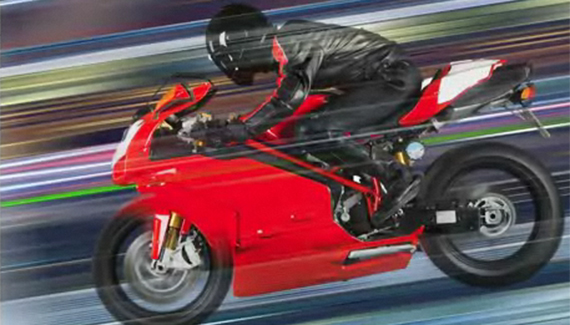
Need For Speed


Adding Motion to Static Objects.

Corey Barker is Executive Producer of PlanetPhotoshop.com and is an Education and Curriculum Developer for the National Association of Photoshop Professionals. He has earned numerous Photoshop awards in design and illustration and has contributed writing to Photoshop User Magazine and PhotoshopElementsUser.com. Corey has also made numerous appearances on the highly rated podcast, Photoshop TV.

Spread the word:
  • Digg
  • del.icio.us
  • Facebook
  • Twitter
  • NewsVine
  • Technorati
  • BlinkList
  • Design Float
  • Mixx
  • Reddit
  • Slashdot
  • SphereIt
  • StumbleUpon
  • LinkedIn
  • MySpace
  • Fleck
  • Netvibes

8 Comments

  1. atul k. said on — May 25, 2008 @ 12:26 pm

    thnx Corey,
    I tried the it on my work station and it really helped me.
  2. terrible said on — August 21, 2008 @ 1:22 pm

    You are a genius Corey!
    awesome tip

    t

  3. 56 Absolutely Brilliant and Intriguing Photoshop Video Tutorials | Photoshop Tutorials Pingback on — September 4, 2009 @ 4:54 am

    [...] Need for SpeedAdding motion to static objects. [...]

  4. 56 Absolutely Brilliant and Intriguing Photoshop Video Tutorials | huibit05.com Pingback on — September 5, 2009 @ 4:51 am

    [...] Need for Speed Adding motion to static objects. [...]

  5. 56 Absolutely Brilliant and Intriguing Photoshop Video Tutorials « Photoshop.vn – Your Design Resource Pingback on — September 6, 2009 @ 1:15 pm

    [...] Need for Speed Adding motion to static objects. [...]

  6. 56 Absolutely Brilliant and Intriguing Photoshop Video Tutorials Pingback on — September 17, 2009 @ 9:24 pm

    [...] Need for SpeedAdding motion to static objects. [...]

  7. Jon said on — October 5, 2009 @ 3:21 am

    So simple yet so genius. Love the vids!

  8. NamrouD | Upgrade Your Mind ! » 56 Absolutely Brilliant and Intriguing Photoshop Video Tutorials Pingback on — October 5, 2009 @ 7:38 pm

    [...] Need for Speed Adding motion to static objects. [...]

RSS feed for comments on this post. TrackBack URI

Leave a comment

Open in Camera Raw from Bridge

You can open RAW images in Camera Raw right from Bridge in Photoshop CS3. This frees up Photoshop to continue working on your files while they’re being processed in Camera Raw. Just select one or more images in Bridge, Control-click (PC: Right-click) on them, and choose Open in Camera Raw. This will open the image(s) in Bridge’s Camera Raw rather than Photoshop. You can also use the keyboard shortcut Command-R (PC: Ctrl-R).

Read More Tips

Tip of the Day
 
 
Kelby Training


