Thank you very much from Las Vegas. I realy enjoy your webbsite (PlanetPS).
I go in it almost every day and learn something new. Thanks again for sharing your knowledge.
Muchisimas Gracias desde Las Vegas. Disfruto muchisimo tu Website (PlanetPS).
Casi entro todo los dias y aprendo algo nuevo. Muchisimas gracias otra vez por compartir tu conocimiento.
thank you so much lol. i dint know how to do so many of the cool effects you show. and i have a problem with reading tutorials with photoshop. with your vids i can easily understand and do them right away. im more of a hands on kinda girl lol so thank you again ^.^ ive learned a bunch from ur vids
Thank you so much ! I really enjoyed this one, but I have one little problem…
Everything works untill I have to use the ‘ctrl cmd G’, It just won’t work, I can’t activate it.
Did I do something wrong? Because I’ve been trying it for 5 times and it just won’t work.
What am I doing wrong?
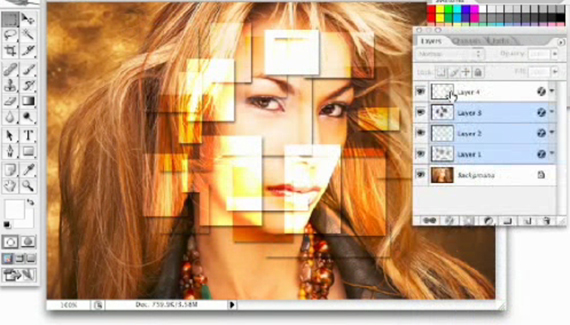



I love all the videos, but I had fun with this one. Please keep it up! I love this site!
I liked what you did with this one…..
I even went ahead and followed it step for step with an image i got from deviantart.com
The original image/photo was done by “Manu-80” so i thank him for sharing, cos with that image this effect does look pretty good…
check it out:
[IMG]http://i23.photobucket.com/albums/b392/carldt/TEST.gif[/IMG]
oops…img tags dont work…sorry…
heres the direct link to it…i hope you guys like it…
http://i23.photobucket.com/albums/b392/carldt/TEST.gif
It is so good and smooth! but you need to slow because you were doing a too fast. I miss it what you were doing. Well!
This one is great!!!
awesome =)
Thank you very much from Las Vegas. I realy enjoy your webbsite (PlanetPS).
I go in it almost every day and learn something new. Thanks again for sharing your knowledge.
Muchisimas Gracias desde Las Vegas. Disfruto muchisimo tu Website (PlanetPS).
Casi entro todo los dias y aprendo algo nuevo. Muchisimas gracias otra vez por compartir tu conocimiento.
Tank you very much from Hungary.
thank you so much lol. i dint know how to do so many of the cool effects you show. and i have a problem with reading tutorials with photoshop. with your vids i can easily understand and do them right away. im more of a hands on kinda girl lol so thank you again ^.^ ive learned a bunch from ur vids
Thank you so much ! I really enjoyed this one, but I have one little problem…
Everything works untill I have to use the ‘ctrl cmd G’, It just won’t work, I can’t activate it.
Did I do something wrong? Because I’ve been trying it for 5 times and it just won’t work.
What am I doing wrong?
Yannick.
this tutorial is so cool!! i had a blast trying to figure it all out. go alittle slower tho bc i kept getting behind. lol thanks again!
@Yannick
Not “G”
It’s “J”
Cool post, keep at it… bookmarked!