Sponsored by the National Association of Photoshop Professionals. Learn More

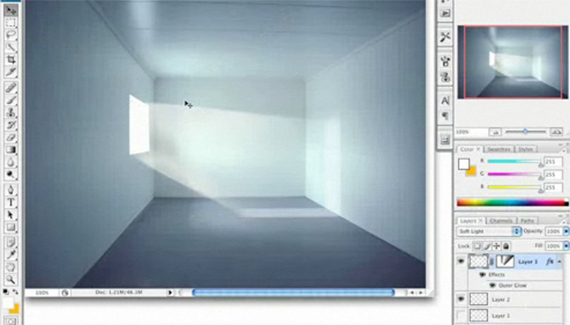
Lighting on Multiple Surfaces


Heres is yet another lighting technique using the new vanishing point in Photoshop CS3.

Corey Barker

Corey Barker is Executive Producer of PlanetPhotoshop.com and is an Education and Curriculum Developer for the National Association of Photoshop Professionals. Corey has also made numerous appearances on the highly rated podcast, PhotoshopUser TV, and is co-host of Layers TV.

4 Comments

  1. Riwall said on — March 30, 2008 @ 7:56 pm

    Doh!
    This I really want to learn, why cant i see this?
    Im enable to see all the other tutorials.
    Please! I really want to learn this

  2. Perra Jonasson said on — May 19, 2008 @ 2:54 am

    Nice tutorial, thanks for sharing.

  3. barbara somers said on — July 19, 2008 @ 6:08 pm

    amazing thank you so much for sharing

  4. Younes Kerrou said on — March 12, 2009 @ 5:02 pm

    That’s a cool one man …That’s going to be helpful in my future websites i don’t have any for the mom lol
    Keep it up Bro !
RSS feed for comments on this post. TrackBack URI

Leave a comment

Create A Composite Layer

If you have a multilayer composition and you
want to apply an effect to all the layers at once, don’t flatten the layers–use a composite layer instead. Hide the layers you want excluded, and press Shift-Command-Option-E (PC: Shift-Ctrl-Alt-E). A new layer will be created at the top containing a merged copy of all the visible layers.

Another option is to create a new layer at the top of the stack and make it active. Command-click (PC: Ctrl-click) each layer you want to include to make those layers active, as well. Press Option-Command-E (PC: Alt-Ctrl-E).
by Colin Smith

Read More Tips

Tip of the Day
 
 
Kelby Training


