Sponsored by the National Association of Photoshop Professionals. Learn More

Light Thru Window


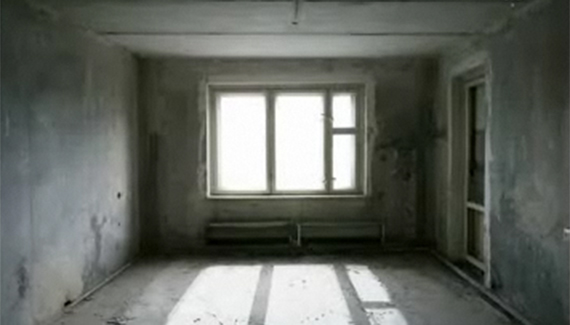
Learn how to create a effect that will give a room the appearance of rays of light coming through the windows.

Corey Barker is Executive Producer of PlanetPhotoshop.com and is an Education and Curriculum Developer for the National Association of Photoshop Professionals. He has earned numerous Photoshop awards in design and illustration and has contributed writing to Photoshop User Magazine and PhotoshopElementsUser.com. Corey has also made numerous appearances on the highly rated podcast, Photoshop TV.

Spread the word:
  • Digg
  • del.icio.us
  • Facebook
  • Furl
  • NewsVine
  • Pownce
  • Technorati
  • TwitThis
  • BlinkList
  • Design Float
  • Ma.gnolia
  • Mixx
  • Reddit
  • Slashdot
  • SphereIt
  • StumbleUpon

3 Comments

  1. Riwall said on — March 30, 2008 @ 7:55 pm

    Not enable to se this.
    Must be something wrong because
    i can se the other tutorials

  2. Photoshop Video Tutorials | Photoshop | Best collection of free video tutorials on software and internet applications Pingback on — April 24, 2008 @ 10:17 am

    [...] (RussellBrown.com) Lens flare  (teach-ict.com) Lighting effects  (teach-ict.com) Light Thru Window : give a room the appearance of rays of light coming through the windows  (planetphotoshop.com) Product Shot Spotlight Effect  (photoshopuser.com) Bad Link [...]

  3. Michael Plume said on — October 4, 2008 @ 12:19 am

    i like the tutorials and i thought you should see this. when i looked at the video i recognized the photo you were using and wondered why. i found out why. one of the bands i listen to used it for their album cover. http://mediapix.ru/pics/6baf3e96b07d98b70780fc8cfe22720f.jpg

RSS feed for comments on this post. TrackBack URI

Leave a comment

Invert to Alpha

When working with vector - created art and the source art is unavailable, modifying the art to create a logo can be a pain, to say the least—particularly when it’s flattened and the background needs to be knocked out.  A careful combination of Invert (Command - I [PC: Ctrl - I]), Color Balance (Command - B [PC: Ctrl - B]), and layer Blending Options (Control-click [PC: Right-click] the layer name) can yield simple background knockouts of one- or two-color logos without making a mess.

Read More Tips

Tip of the Day
 
 
Kelby Training

