Sponsored by the National Association of Photoshop Professionals. Learn More

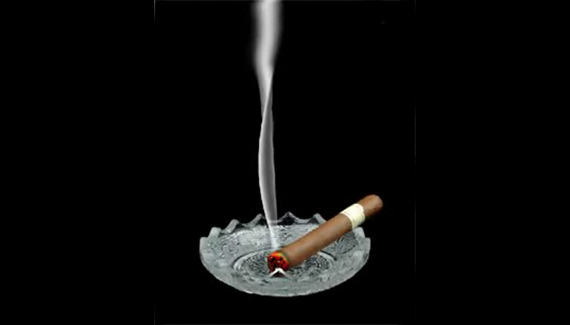
Got a Light?


Create a Realistic Effect of a Burning Cigar

Corey Barker

Corey Barker is Executive Producer of PlanetPhotoshop.com and is an Education and Curriculum Developer for the National Association of Photoshop Professionals. Corey has also made numerous appearances on the highly rated podcast, PhotoshopUser TV, and is co-host of Layers TV.

Spread the word:
  • Digg
  • del.icio.us
  • Facebook
  • Twitter
  • NewsVine
  • Technorati
  • BlinkList
  • Design Float
  • Mixx
  • Reddit
  • Slashdot
  • SphereIt
  • StumbleUpon
  • LinkedIn
  • MySpace
  • Fleck
  • Netvibes

9 Comments

  1. Silentman said on — May 17, 2009 @ 9:17 am

    The thing that amazes me the most about your tutorials is the techniques you employ, it’s a bit like watching a mystery unfold right in front of your eyes. Top stuff, i haven’t seen a bad tutorial of yours yet Corey Barker :)

  2. Josiah said on — May 24, 2009 @ 12:32 pm

    Great job!

    I love your tutorials!!!!!!

  3. Tristan said on — July 31, 2009 @ 4:37 am

    Impressive! I love this website! Thank you very much Corey! :)

  4. 56 Absolutely Brilliant and Intriguing Photoshop Video Tutorials | Photoshop Tutorials Pingback on — September 4, 2009 @ 4:57 am

    [...] Got a Light?Create a realistic effect of a burning cigar. [...]

  5. 56 Absolutely Brilliant and Intriguing Photoshop Video Tutorials | huibit05.com Pingback on — September 5, 2009 @ 5:32 am

    [...] Got a Light? Create a realistic effect of a burning cigar. [...]

  6. 56 Absolutely Brilliant and Intriguing Photoshop Video Tutorials | Fulldigi Pingback on — September 9, 2009 @ 5:40 am

    [...] Got a Light?Create a realistic effect of a burning cigar. [...]

  7. Brilliant and Intriguing 50+ Photoshop Video Tutorials | oOrch Blog Pingback on — September 24, 2009 @ 1:36 pm

    [...] Got a Light?Create a realistic effect of a burning cigar. [...]

  8. NamrouD | Upgrade Your Mind ! » 56 Absolutely Brilliant and Intriguing Photoshop Video Tutorials Pingback on — October 5, 2009 @ 7:37 pm

    [...] Got a Light? Create a realistic effect of a burning cigar. [...]

  9. 56 Absolutely Brilliant and Intriguing Photoshop Video Tutorials | Digitalize Blog Pingback on — October 5, 2009 @ 10:42 pm

    [...] Got a Light?Create a realistic effect of a burning cigar. [...]

RSS feed for comments on this post. TrackBack URI

Leave a comment

Viewing and Basking in your Image

When I’m done working with an image, I like to sit and admire it (hey, I spent six hours working on it, I should). To do that, I hit the Tab key, then hit the F key three times. This hides all of the panels and toolbars and lets you see the image by itself surrounded by black. To get back to regular mode, press the F key and the Tab key one more time.

Read More Tips

Tip of the Day
 
 
Kelby Training