Sponsored by the National Association of Photoshop Professionals. Learn More
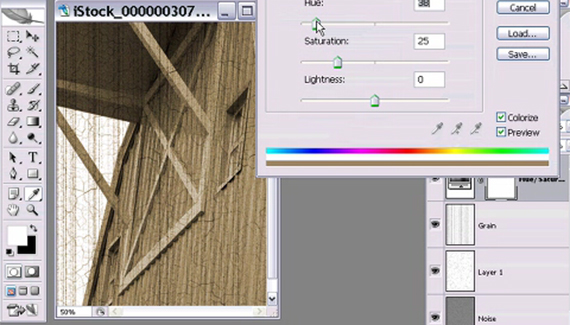
Matt Kloskowski, Education and Curriculum Developer for the National Association of Photoshop Professionals, shows you how to give your photos an antique look.

Matt’s new instructional DVD “Automating Photoshop CS2″ is now available on PhotoshopVideos.com.
RSS feed for comments on this post. TrackBack URI
Corey shares some cool Hollywood graphic effects inspired by a recent movie trailer.
Corey demonstrates how you can create multidimensional text from a single text layer.
Corey shows you how to create a lightning brush and use it to create interesting effects.
This week Corey shows you how to combine two images into an interesting composite.
Sometimes, targeting a specific color chan-nel can help create a much better selection, especially if there are distinct color differences you can take advantage of. In this example, the same diagonal move with the Quick Selection tool resulted in a much better selection of the heart when it was applied only to the Red channel in the Channels panel (Window>Channels).
tcannon said on — April 21, 2008 @ 11:52 am
It would have been nice to see the completed picture for longer than a micro second.
Photoshop Video Tutorials | Photoshop | Best collection of free video tutorials on software and internet applications Pingback on — April 24, 2008 @ 12:51 pm
[...] The Border : make a photo pop out of its border (planetphotoshop.com)Give Your Photo an Antique Look : (planetphotoshop.com)Add A Stroke Layer Style : quickly add a custom border to your [...]
Lisa G said on — July 2, 2008 @ 7:14 pm
Thanks for an awesome tutorial. It was just what I was looking for.
56 Absolutely Brilliant and Intriguing Photoshop Video Tutorials | Photoshop Tutorials Pingback on — September 4, 2009 @ 1:57 pm
[...] Give Your Photo an Antique Look Convert your current photos into antique-looking ones. [...]
56 Absolutely Brilliant and Intriguing Photoshop Video Tutorials | huibit05.com Pingback on — September 5, 2009 @ 4:51 am
[...] Give Your Photo an Antique Look Convert your current photos into antique-looking ones. [...]
Photoshop Video Tutorials | My Tech way Pingback on — September 11, 2009 @ 11:26 pm
[...] Give Your Photo an Antique Look Convert your current photos into antique-looking ones. [...]
56 Absolutely Brilliant And Intriguing Photoshop Video Tutorials « Photoshop.vn – Your Design Resource Pingback on — September 16, 2009 @ 5:35 am
[...] Give Your Photo an Antique Look Convert your current photos into antique-looking ones. [...]
56 Absolutely Brilliant and Intriguing Photoshop Video Tutorials Pingback on — September 17, 2009 @ 9:24 pm
[...] Give Your Photo an Antique LookConvert your current photos into antique-looking ones. [...]
Photoshop app / plugin? - The Photo Forum - Photography Discussion Forum Pingback on — September 28, 2009 @ 10:49 pm
[...] follow any of the countless video tutorials found on the internet (YouTube is a great source). Give Your Photo an Antique Look | Planet Photoshop __________________ 1D MkIII | 5D MkII | 17-40 f/4L | 24-70 f/2.8L | 70-200 f/2.8L | 85 [...]
Brilliant and Intriguing 50+ Photoshop Video Tutorials | oOrch Blog Pingback on — October 5, 2009 @ 9:20 am
[...] Give Your Photo an Antique LookConvert your current photos into antique-looking ones. [...]
Punkie said on — November 17, 2009 @ 5:13 pm
AHH! thank you for this! (: It helped TONS!

