This like so many of your tutorials are top class. the techniques used in this tutorial can be applied to so many projects and images I am sure people will find it really useful. cheers.
I have learnt so much from your tutorials, and as a result have signed up to Kelby Training to continue learning.
I took what you taught in other tutorials, and created a smart object out of the text and yellow banner, so that the text is truly editable. I didn’t even know what a smart object was 2 weeks ago!!
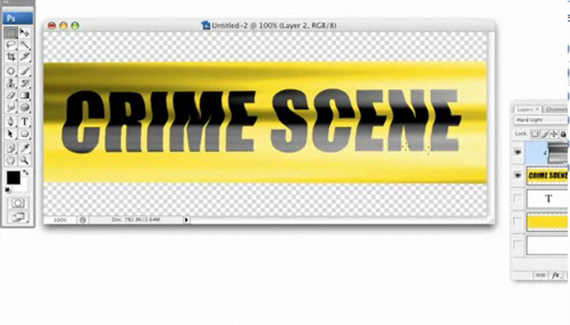



What is the simple thing I am missing that won’t let me apply the distortion filter?
Thanks
This like so many of your tutorials are top class. the techniques used in this tutorial can be applied to so many projects and images I am sure people will find it really useful. cheers.
Absolutely awesome tutorial, really helpful and easy to follow.cheers
Excellent tutorial Corey. Here’s my use for the banner:
http://www.flickr.com/photos/dereksbeard/3330880655/
Fantastic Mr. Barker
Wow ! this tutorial is awesome
I have learnt so much from your tutorials, and as a result have signed up to Kelby Training to continue learning.
I took what you taught in other tutorials, and created a smart object out of the text and yellow banner, so that the text is truly editable. I didn’t even know what a smart object was 2 weeks ago!!
Awesome, thank you so much 😀
Just finished mine 🙂 well the tape anyhow 😉
Now going to create a desktop/wallpapers, with it cheers
Will post link when done 🙂 😉