Sponsored by the National Association of Photoshop Professionals. Learn More

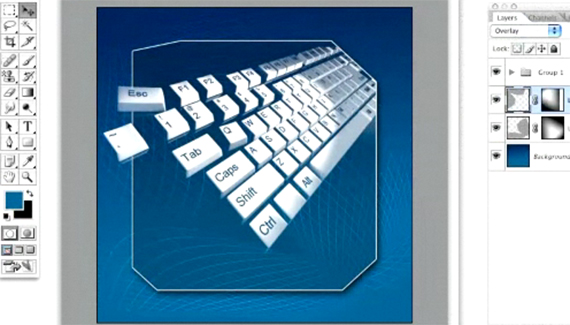
Distorted 3D Grid


Quick technique for creating a distorted 3D grid that can be used as a background design element.

Corey Barker is Executive Producer of PlanetPhotoshop.com and is an Education and Curriculum Developer for the National Association of Photoshop Professionals. He has earned numerous Photoshop awards in design and illustration and has contributed writing to Photoshop User Magazine and PhotoshopElementsUser.com. Corey has also made numerous appearances on the highly rated podcast, Photoshop TV.

Spread the word:

  • Digg
  • del.icio.us
  • Facebook
  • Furl
  • NewsVine
  • Pownce
  • Technorati
  • TwitThis
  • BlinkList
  • Design Float
  • Ma.gnolia
  • Mixx
  • Reddit
  • Slashdot
  • SphereIt
  • StumbleUpon

3 Comments

  1. Photoshop Video Tutorials | Photoshop | Best collection of free video tutorials on software and internet applications Pingback on — April 24, 2008 @ 3:16 pm

    [...] Changes Across Multiple Photos  (oman3d.com)Making a Panorama  (oman3d.com)Distorted 3D Grid : Creating a distorted 3D grid that can be used as a background design elemen…  (planetphotoshop.com)Displacement Maps : The many uses of the Displacement Map  [...]

  2. Phillip Anthony Briles said on — May 9, 2008 @ 6:08 pm

    Great tut, Corey!

    I had always wondered how it was possible to create a grid then be able to warp it for an integral design element. Now I know.

    Thanks for a great tut.

    Phillip
  3. Alexander said on — July 4, 2008 @ 8:22 pm

    Good Idea!

RSS feed for comments on this post. TrackBack URI

Leave a comment


We are hiring

Reset a Dialog

If you are working with any dialog that has an OK and a Cancel option, you don’t always have to cancel out to get back to the original state of the effect. If you press-and-hold the Option (PC: Alt) key when you are in a dialog, the Cancel button will turn into a Reset button. This will give you a chance to try the effect again without having to leave the dialog.

Read More Tips

Tip of the Day
 
 
Kelby Training


