Sponsored by the National Association of Photoshop Professionals. Learn More
This week Corey show you how to create high impact 3D graphics using the 3D features in Photoshop Extended.
RSS feed for comments on this post. TrackBack URI
Corey shows you how to re-create the graphic effect from the new Bourne Legacy movie poster. With an extra twist!
Corey has a cool trick for creating a flare brush and see how one effect can lead to another.
See how you can add some subtle touches to give that green screen studio shot the Hollywood treatment.
Corey shows how to create reflective holiday ornaments using 3D in Photoshop.
If you have a multilayer composition and you
want to apply an effect to all the layers at once, don’t flatten the layers–use a composite layer instead. Hide the layers you want excluded, and press Shift-Command-Option-E (PC: Shift-Ctrl-Alt-E). A new layer will be created at the top containing a merged copy of all the visible layers.
Another option is to create a new layer at the top of the stack and make it active. Command-click (PC: Ctrl-click) each layer you want to include to make those layers active, as well. Press Option-Command-E (PC: Alt-Ctrl-E).
by Colin Smith
Photoshop Update Available! | Planet Photoshop Pingback on — July 2, 2010 @ 1:42 pm
[...] tutorial on designing with 3D is live now. Click here to view now! Hope you enjoy! Have a great 4th of July weekend! Spread the [...]
Steve said on — July 2, 2010 @ 3:09 pm
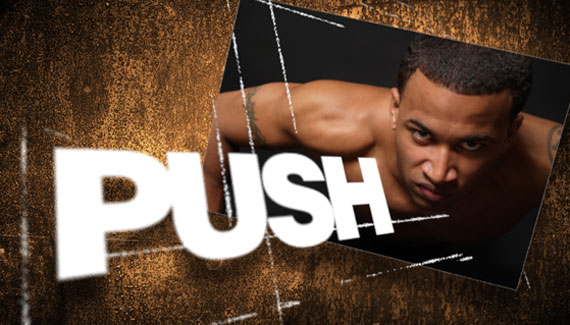
very interesting stuff. Again sparking off some ideas. After watching this I’m wondering if one could use light sources with 3D postcards ie the “PUSH” could cast a slight shadow on the Grunge background.
ummm the possibilities
, great stuff Corey
Kole said on — July 3, 2010 @ 3:22 am
great as usual !
Haryad.rawanduzi said on — July 3, 2010 @ 3:30 pm
thank you very nice this tutorial
Grant Darrah said on — July 6, 2010 @ 12:43 pm
Great tutorial, definitely going to try more 3D elements in Photoshop in the near future!
Clint Davis said on — July 7, 2010 @ 4:27 pm
So well done! Thanks Corey!
sbxlive said on — July 8, 2010 @ 12:07 pm
hank you very nice this tutorial
Dre said on — July 8, 2010 @ 1:30 pm
Some awesome techniques as usual. Had no idea you could set depth of field– really cool. Love all the random tidbits I pick up, like being able to connect brush tool segments.
Thanks for all the work, keep it coming.
STRALLENT said on — July 9, 2010 @ 1:10 am
Another AMAZING Photoshop Tips & Tricks!!!
And, it’s still FREE…That’s AMAZING!
Thank You!
– Frank S.
STRALLENT.COM
SHOCKPROOFX.COM
BLONETTES.COM
ARENA MULTIMEDIA said on — July 9, 2010 @ 7:40 pm
it’s realy cool but you didn’t upload your new tutorial’s
Denise said on — July 12, 2010 @ 11:17 am
what a treat ! thank you.I have not cs5 yet so I can do this most interesting project.
Alejandro said on — August 3, 2010 @ 5:37 pm
Excelente Gracias.
Ade said on — January 11, 2011 @ 9:53 am
Brilliant! going to practice


