
Sponsored by the National Association of Photoshop Professionals. Learn More
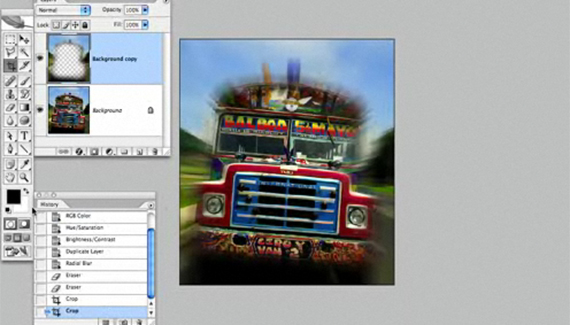
Photoshop instructor Rick Sammon shows you a couple ways to add some excitement to your photos.
Rick Sammon has published 27 books, including his latest trio: Rick Sammon’s Travel and Nature Photography, Rick Sammon’s Complete Guide to Digital Photography, and Idea to Image.

RSS feed for comments on this post. TrackBack URI
Recreate the text effect from the title to the new blockbuster movie.
Continue exploring the possibilities with Photoshop’s new 3D tools.
Corey shows you how to make a new photo look damaged by blending in some unusual textures.
Use Photoshop’s new 3D tools to create some dazzling background effects.
When I’m done working with an image, I like to sit and admire it (hey, I spent six hours working on it, I should). To do that, I hit the Tab key, then hit the F key three times. This hides all of the panels and toolbars and lets you see the image by itself surrounded by black. To get back to regular mode, press the F key and the Tab key one more time.
Rhonda said on — April 20, 2008 @ 2:47 pm
Fun Effect, not hard to do. Great way to kick up your photo’s.
Alexander said on — July 4, 2008 @ 6:42 pm
Why not to use layer mask to hide blur?))
Alexander said on — July 4, 2008 @ 6:42 pm
Thanks anyway)
Abdullah said on — January 12, 2009 @ 12:05 pm
That is pretty cool,
Thank you
