Get in the holiday spirit by taking this picture of a house and adding some festive lights that glow at night. Continue to tutorial
This tutorial was inspired by the blockbuster video game. Continue to tutorial
Learn more about the National Association of Photoshop Professionals
Join today and get a free DVD
Recreate the text effect from the title to the new blockbuster movie. Continue to tutorial
Learn more about the National Association of Photoshop Professionals
Join today and get a free DVD
Sponsored by the National Association of Photoshop Professionals. Learn More
December 18th, 2009 | Corey Barker
Here is an interesting interesting video interview with Jon Landau, producer of James Cameron’s new epic Avatar. He talks abut how the Adobe Creative Suite played a critical role in the production the production of the movie. Really interesting to see that the very software you and I use was used to create the world of Avatar. Click here to checkout the interview. Also check out the really cool interactive trailer on the same page.
December 16th, 2009 | Corey Barker
The fine folks over at Wacom have a really great holiday special going on right now. If you buy a medium, large, or extra large Intuos 4 tablet by December 31 you will have your choice among three premium training DVDs from NAPP. Your choices are Mastering Layers in Adobe Photoshop by Matt Kloskowski, Photoshop CS4 Beauty & Portrait Retouching Kit with David Cuerdon, or Adobe Photoshop CS4 Design Effects with Corey Barker. Hey, that’s me!! Anyway you can choose any one those with the purchase of a new tablet. Remember though, you have until December 31, 2009 to take advantage of this exclusive offer. Don’t wait! . Click here to order yours today!
December 14th, 2009 | Corey Barker
Now you can keep up with all that’s going on with the best podcasts on the web. You can now conveniently view PhotoshopUser TV, Layers TV, Photoshop Killer Tips, Lightroom Killer Tips, and D-Town TV all conveniently at a new site called Kelby TV. That’s right. You can watch the Photoshop Guys on minute and jump right over and catch RC and I on Layers TV without going to another site. This way you can get access to all the great content very quickly and easily. Not to mention it’s a pretty slick design of a site. It lets you easily jump right to the most current episode and easily browse through previous episodes. Check it out for yourself here and enjoy!
December 10th, 2009 | Corey Barker
Hey guys!! Check my latest interview from Photoshop World. I had the honor of appearing on Deke McClelland’s Martini hour from the VIP lounge in Las Vegas with the great Bert Monroy. It was really cool. We just sat around and talked about 3D in Photoshop. It is an audio only interview but quite entertaining to listen to. Check it out here!!
Here’s another little tip for you. You know when you are in a Photoshop file and you get close to the edge of the document or the edge of another object and it snaps to that edge. This feature is helpful most of the time but there are those times when it isn’t. You could go into the View menu and turn off the Snap To feature but I like to leave it on and disable it when I need it. Simply hold down the Control key on either PC or Mac and this will temporarily disable the snapping. Then just release the key to continue.
December 9th, 2009 | Corey Barker
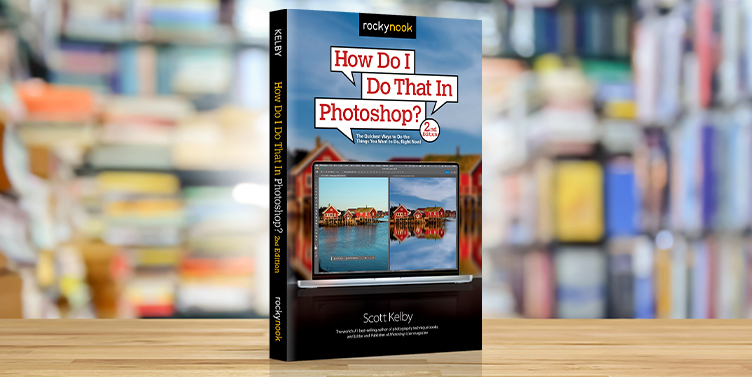
Yes, I know it’s been quite a while since I mentioned a new photoshop book but they seem so few and far between these days. Anyway this week I want tell you about the new Photoshop Elements 8 Book for Digital Photographers by Scott Kelby and Matt Kloskowski. This newest edition is loaded with the latest techniques in this newest version of Adobe Photoshop Elements. Whether it’s working with Camera Raw, retouching techniques, sharpening, or just plain cool effects. You’ll find it here and then some! The other really cool about this book is that it shows you the workarounds for many techniques you may have seen done in Photoshop CS4. Also Elements itself includes a number of features not available in full version Photoshop.(There are a few of these I wish were in Photoshop.) It’s a reference manual you will want to keep close by. Find out more and order yours here.
Also check out the new iPod book by Scott Kelby. This new edition cover all the latest model iPods including the new video ipods. This book not only covers all iPods, it also includes chapter on using iTunes. While iTunes is a pretty intuitive application there are alway those little gems that you never knew were there or how they worked. This is loaded with those gems. Check it out here!!
December 5th, 2009 | Corey Barker
When I was at Photoshop World in Las Vegas back in October I had the pleasure of appearing on Bert Monroy’s podcast Pixel Perfect. That episode is available this week. Click here to check it out. I actually did two tutorials in this episode. In the first I show you how to create a 3D butterfly using the new 3D features in Photoshop CS4 Extended and then I show you how to create a really match striking fire effect. Thanks Bert, it was a lot fun!!
December 2nd, 2009 | Corey Barker
This Friday December 4th I will be in Ft. Lauderdale presenting the Photoshop CS4 Down & Dirty tour. We are getting very close to wrapping this tour up for the year. There is only one more date scheduled after this one. It will be on December 9th in Jacksonville. Which will be presented by Dave Cross the Canadian Boss. So if you are in or around either of these cities do come out and join us and learn the newest techniques to take your work to the next level in no time at all. The really cool thing about this seminar is that you can apply what you learn immediately. There is still room so sign up today. Click here for more info.
November 30th, 2009 | Corey Barker
Here is a cool little tip that I got from Scott Kelby a couple weeks ago. I feel I have to share this because it’s one of those tips that is so very simple and so very intuitive that you will kick yourself for not knowing this one already. Some of you may and that’s cool. Anyway, to unlock the Background layer in Photoshop you would have had to go into the Layers panel and choose New Layer from Background or just double-click it and rename it if desired. Well did you know that you can simply grab the padlock icon on the layer and simply drag it to the trash. Voila!!! Layer is now unlocked!! Is that not cool?
November 30th, 2009 | Corey Barker
Well, it’s that time of year once again. Time to dig into the attic or the basement and dig out those Christmas decorations for another season of relatives, food, and shopping. Speaking of shopping, the newest issue of Photoshop User has the newest issue features Scott Kelby’s Annual Gonzo Holiday Gear Guide. This is great for finding out what’s hot in the world of digital media. Whether it’s cameras, gear, computers, accessories, or just cool gadgets. Here is where to find out!! This issue is on newsstands now but if you are a NAPP member you have it already. What’s that? Not a NAPP member? Click here to find out more.
Get in the holiday spirit by taking this picture of a house and adding some festive lights that glow at night.
This tutorial was inspired by the blockbuster video game.
Recreate the text effect from the title to the new blockbuster movie.
You can apply a layer style to a layer group. Simply convert the layer group to a Smart Object by clicking on the group, then choosing Convert to Smart Object from the Layers panel’s flyout menu, and all of the layer styles will be available to you.